S&P Global · 2025–2026
S&P Global: Designing an AI Research Workspace Analysts Could Trust
I led the design of an AI research workspace for senior S&P Global analysts to explore data, build reports, and verify AI output. Across four major iterations, we moved from one-shot generation toward a workflow that gave analysts control at each stage.
Analysts
I designed for senior equity and credit analysts, market-data teams, and financial journalists: people whose research informs client decisions.
For this audience, speed was not enough. Analysts needed to understand where a number came from, correct the system when it drifted, and decide what was ready to publish.
A chat that could only return a whole report
The first version worked through conversation. An analyst described what they wanted and received a finished report.
That created three problems:
- Inputs stayed unstructured, and important decisions disappeared into the transcript.
- Analysts could not redirect the work before a full report was generated.
- Sources were listed, but individual claims were difficult to verify.
The problem was not generation quality. It was generation control.
Three ways analysts worked
Across analyst interviews and a design sprint, three recurring modes came through:
Investigate
Start with a claim or question and look for evidence that supports or challenges it. “Sanctions will lift oil prices.”
Assess
Review new data or news and decide whether it changes the existing view. “The Fed just signaled another cut.”
Synthesize
Turn existing research and evidence into a finished report. “Tighten the executive summary.”
The same analyst could move between all three during one session.
That changed the product direction. Discovery and report generation could not be separate linear steps. Analysts needed to move between investigating, assessing, and synthesizing without losing context or rebuilding their work.
Narrowing
Iteration 1: progressive narrowing
The first change replaced the one-shot prompt with progressive narrowing:
Brief → Outline → Draft with citations
Each stage narrows the report, and the analyst checks it before the next one starts: objective and scope first, then the structure, and only then the full draft.
Ask, brief, outline, draft
This made correction cheaper. A bad outline could be fixed before it became a bad report.
Citations were also attached directly to the claims they supported, so analysts could verify a number where they encountered it.
What it exposed
The brief improved control but required too much work before the analyst saw anything useful.
“We fixed the input problem and created an effort problem.”
Routing
Iteration 2: confidence-based routing
Routing kept progressive narrowing but stopped sending every request through all of it. The system scored how much it could infer from the first request, and that confidence decided where the analyst entered the sequence:
| Confidence | Entry point |
|---|---|
| High | Proposed outline |
| Medium | Relevant templates |
| Low | Full brief |
Three requests, three entry points
The system should only ask for what it does not already know.
Full automation was faster when the first result happened to be right, but difficult to steer when it was wrong. A fixed wizard was predictable but wasted time for analysts who already knew what they wanted.
What it exposed
Analysts still had to leave the workspace to find evidence, then return and rebuild their context.
Discovery
Iteration 3: research inside the product
Discovery brought research into the workspace.
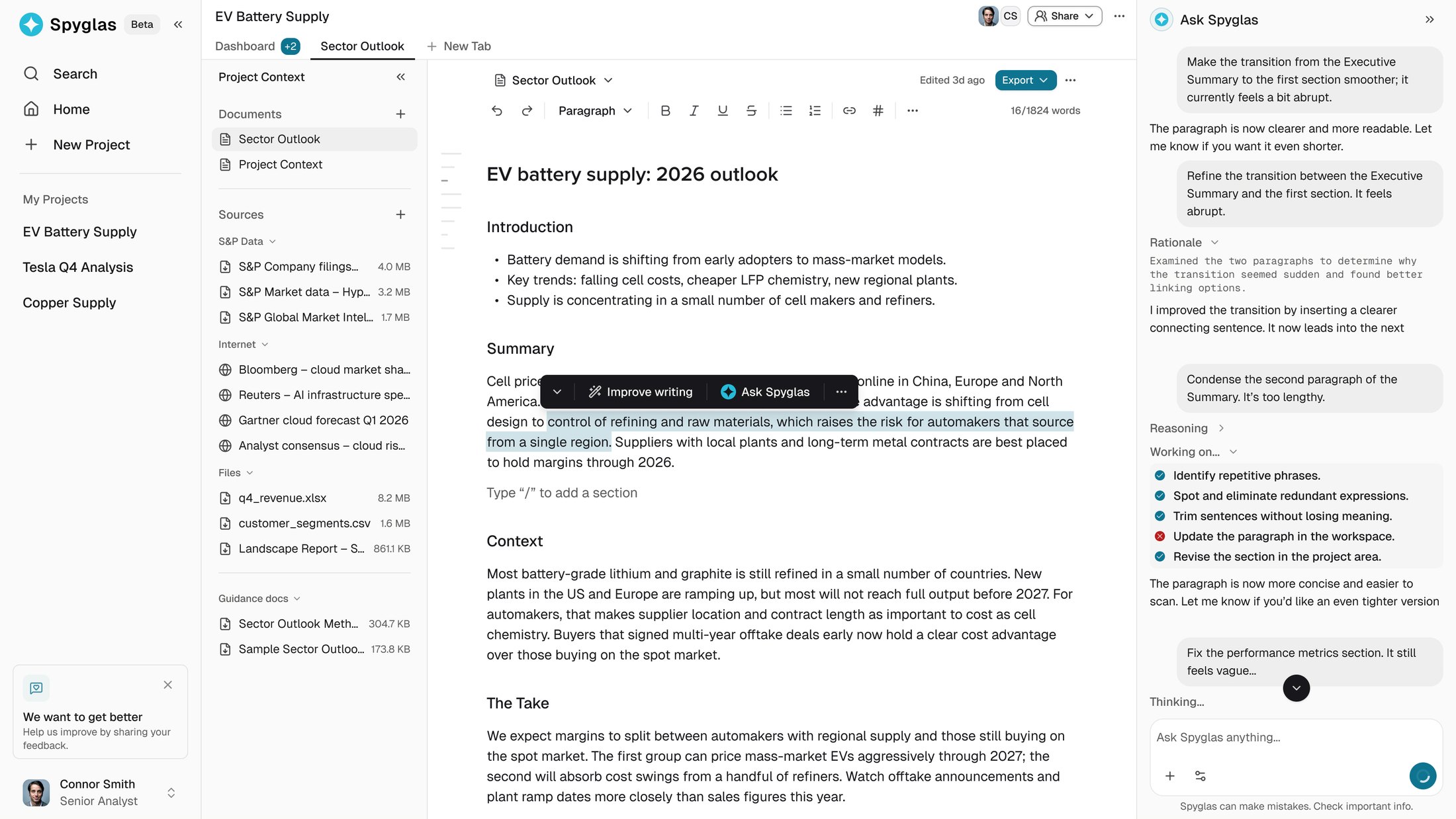
Analysts could search S&P Global data, filings, research, news, and web sources, then save links, files, and text snippets into a source set for later writing.
Discovery as its own mode
The source set was saved to a library of its own, so findings still had to be carried into a report by hand.
Discovery was intentionally shipped as a separate mode first. That let us test whether the research experience worked before connecting report generation to it.
Iteration 4: research becomes part of writing
The next iteration moved Discovery into the project’s source panel.
Analysts could now:
- search while writing
- save material directly into the project
- expand into the full Discovery experience when needed
- let the agent search for evidence when it detected a gap
Three ways into research
Research stopped being a detour and became part of the document.
Trust
Trust came from making the system easier to inspect.
Source visibility
Claims and recommendations showed the underlying source and, where relevant, the calculation used.
Signal quality
Results distinguished between sourced, estimated, and needs review, helping analysts decide where to focus attention.
Grounded data
Structured-data searches returned explorable tables with attribution and source counts instead of converting everything into prose.
Analysts kept control over verification, judgment, and final edits.
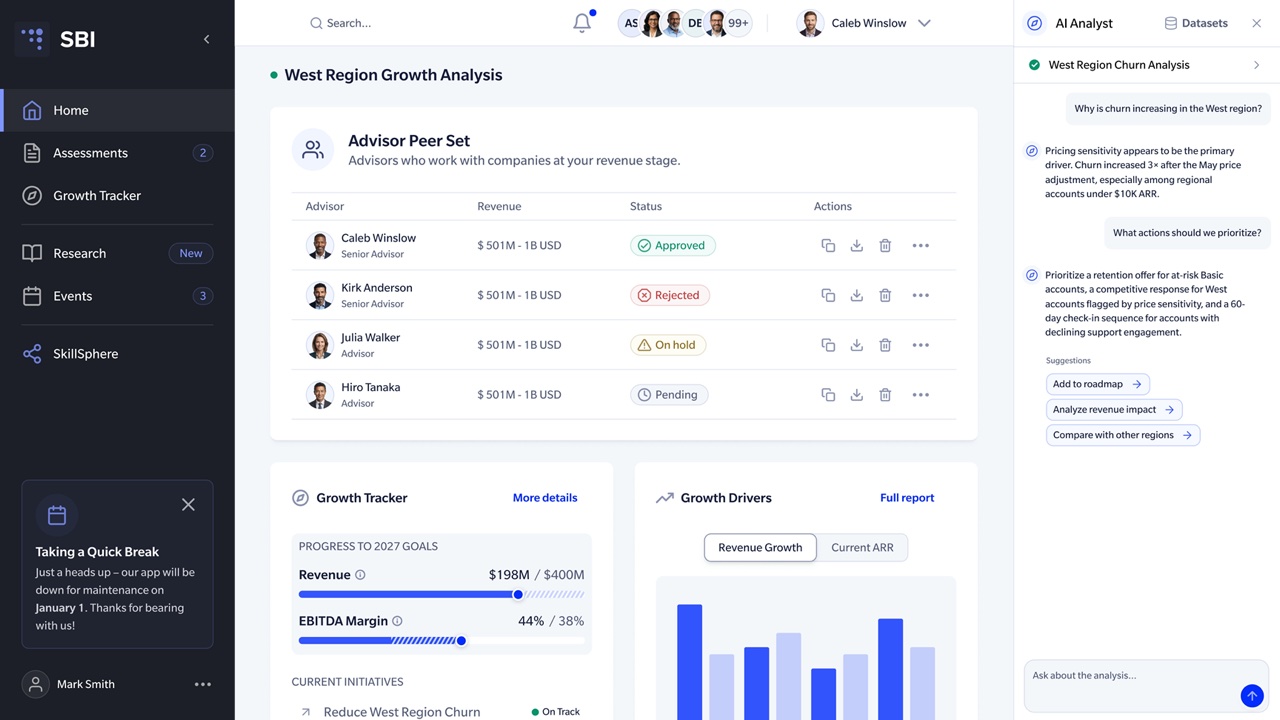
The interface itself stayed restrained. Shared spacing, typography, tables, and source patterns kept a dense three-panel workspace readable, while AI reasoning and status appeared only when useful.
Those shared patterns came from the design system I built alongside the workspace. It started because this product's behavior had outgrown static mockups, so I needed a way to prototype it in code, and engineering later adopted it into production. How that design system works (opens in a new tab).
Why I made the workflow slower
Progressive narrowing added steps.
I accepted them because the expensive failure was not a slow report. It was a fast, wrong report that an analyst could not easily correct.
For a demo, one-shot wins. For daily expert work, cheap correction wins.
Shipped
The workspace shipped to the same senior analysts who participated in research and testing.
What testing showed
- Analysts needed to inspect source data before trusting a claim.
- Structure needed to be corrected before a full draft, not after.
- Investigating, assessing, and synthesizing required different entry points and levels of guidance.
- Leaving the product to research interrupted the workflow.
I don’t have instrumented outcomes I can cite, so this case rests on four iterations and validation with the analysts who used it.
Next
Two extensions were in active design when I left. Neither has shipped.
Batch review
Run multiple reports in parallel and flag low-confidence output, so analysts spend their time reviewing exceptions.
Multiplayer
Let regional teams work on different sections of one report while sharing sources, templates, and scoped agent runs.
Lessons
Early on, I treated report quality mainly as a model problem. The model became capable before the workflow became trustworthy.
The next challenge is learning how much autonomy each analyst prefers, instead of asking them to establish that boundary again every session.
For expert AI products, the design problem is deciding what people keep control over, and making that control cheap to use.